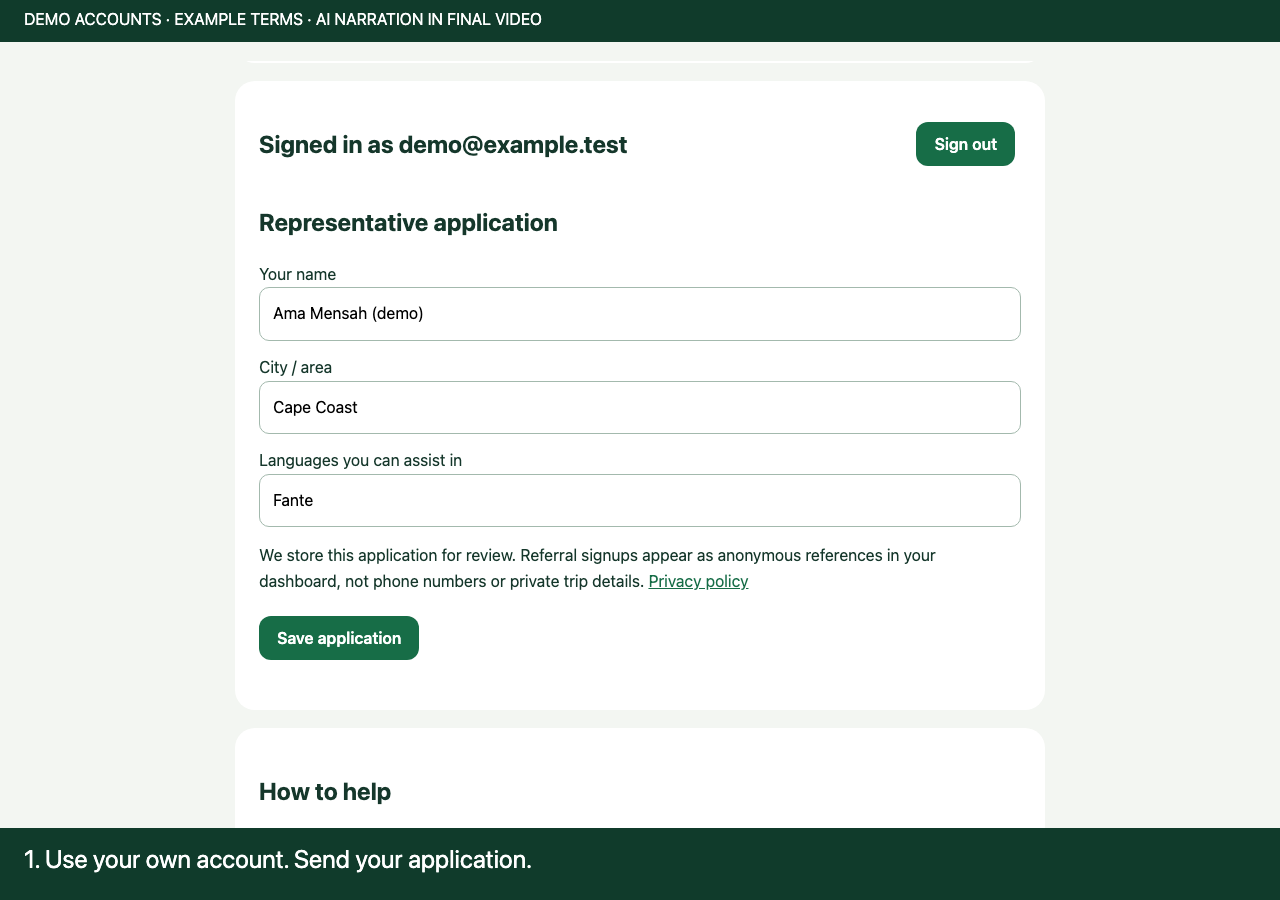
Open Recruitment & affiliates from Training & opportunities. Create your own account, confirm your email, and sign in. Enter your name, area and languages, then save your application. Applying does not grant Admin access or guarantee work.
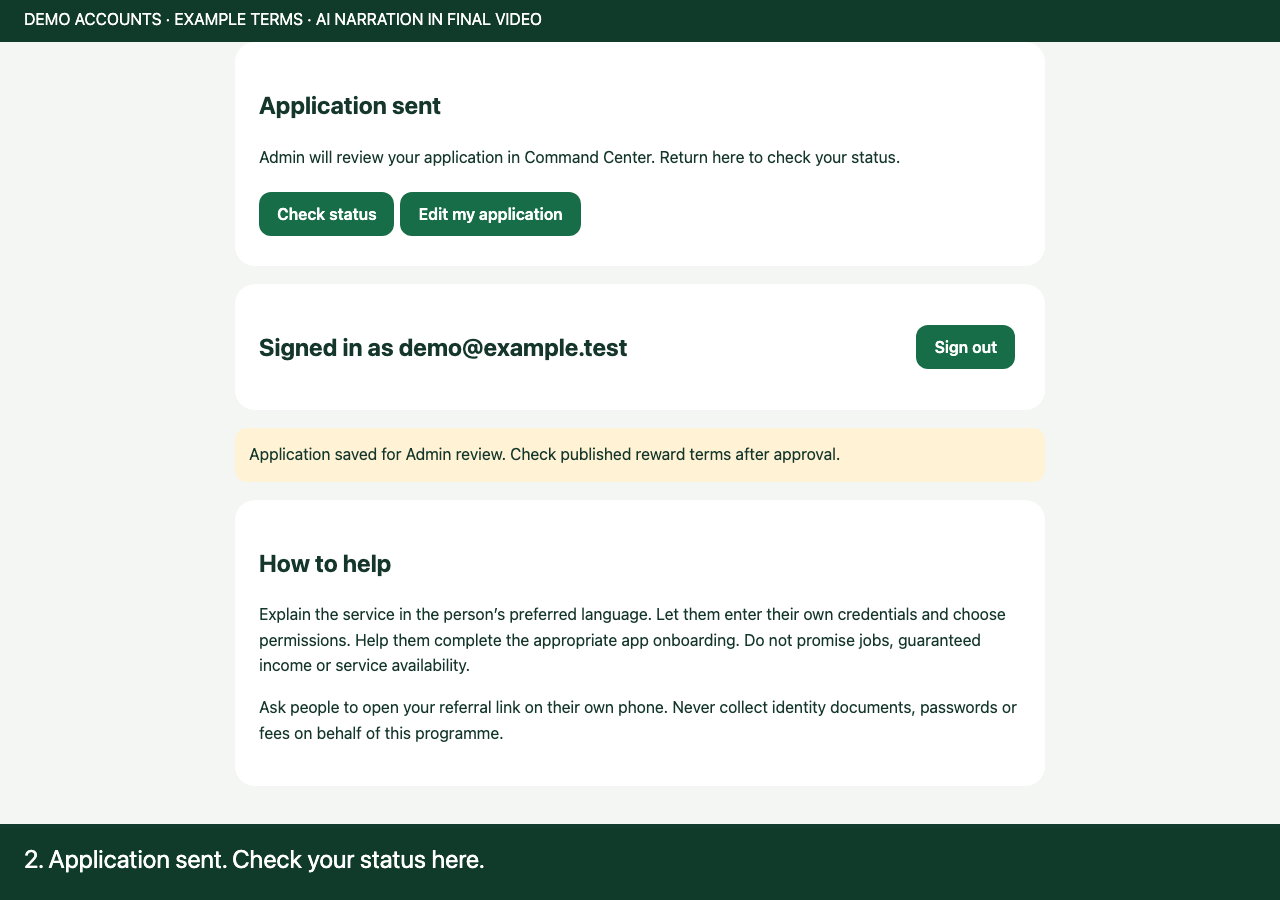
2. Check your application status
Application sent means Admin still needs to review it. Return to the same page and select Check status. You do not need a separate Admin login.
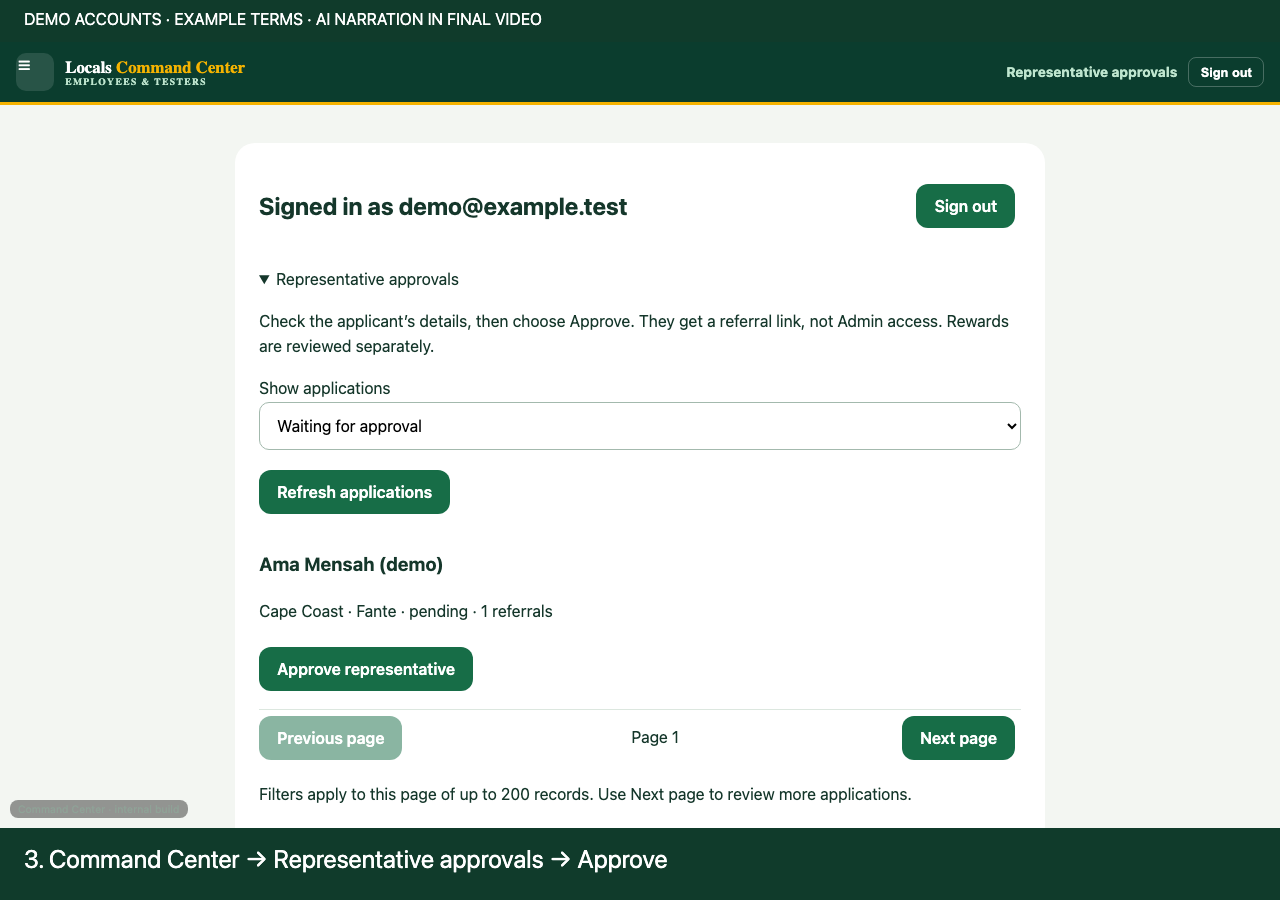
3. Admin approves in Command Center
Admin opens Command Center → Representative approvals. Waiting applications load automatically. Check the details, select Approve representative, and confirm. This gives referral access, not Admin access, and does not approve a payout. Administrators cannot approve their own application.
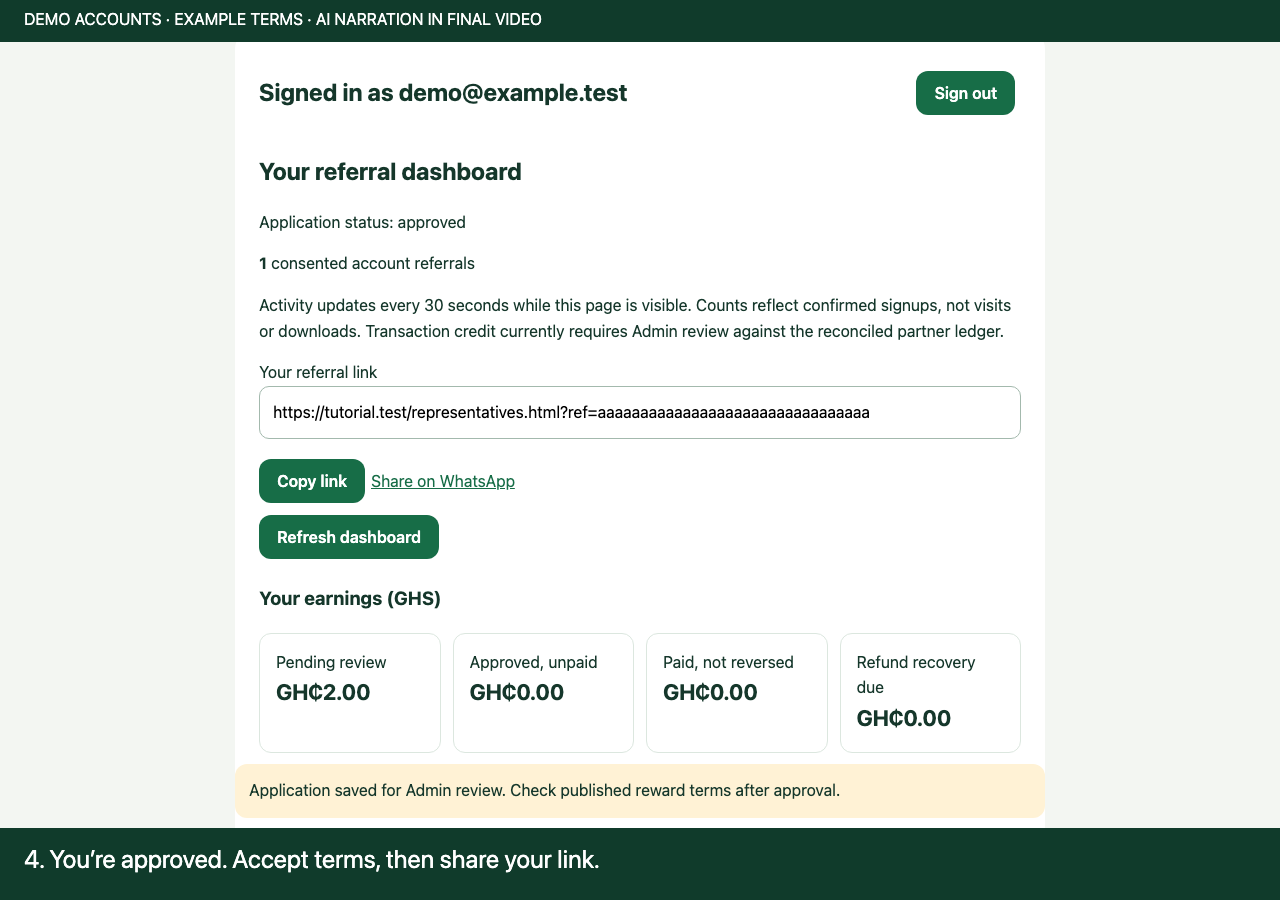
4. Accept terms and share your link
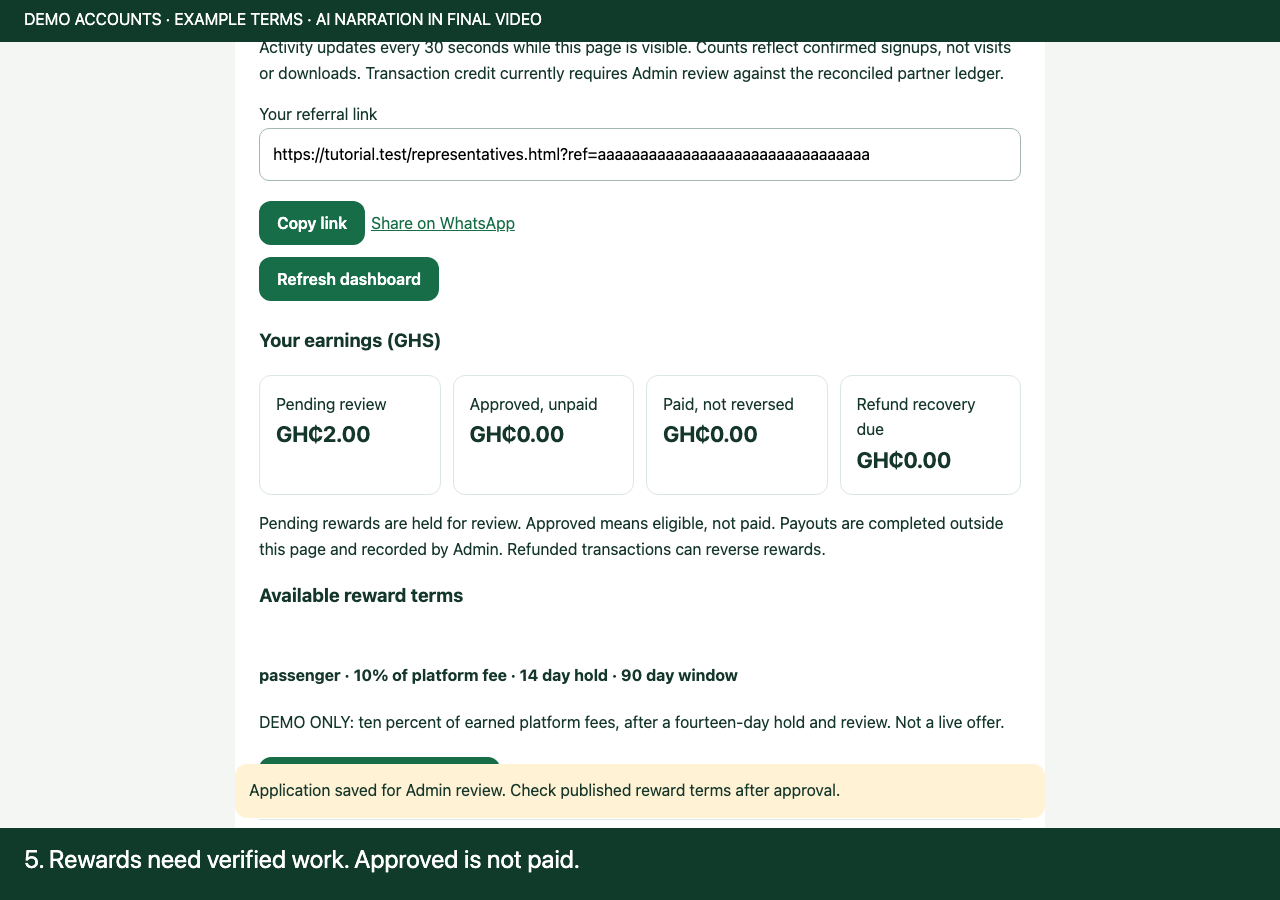
Once approved, sign in to your representative page. Read and accept active reward terms before qualifying work happens. Copy your personal link or share it on WhatsApp. The new user opens it, signs in to their own account, and chooses whether to confirm the referral. Downloads alone do not earn money. No active rate means no rewards for that service.
5. Understand your earnings
Rewards require accepted terms, completed and settled transactions, a hold period and Admin review. Pending is still under review. Approved is not paid. Paid means an external transfer has actually been completed and recorded. This dashboard does not send money automatically. Refunds can reverse rewards.
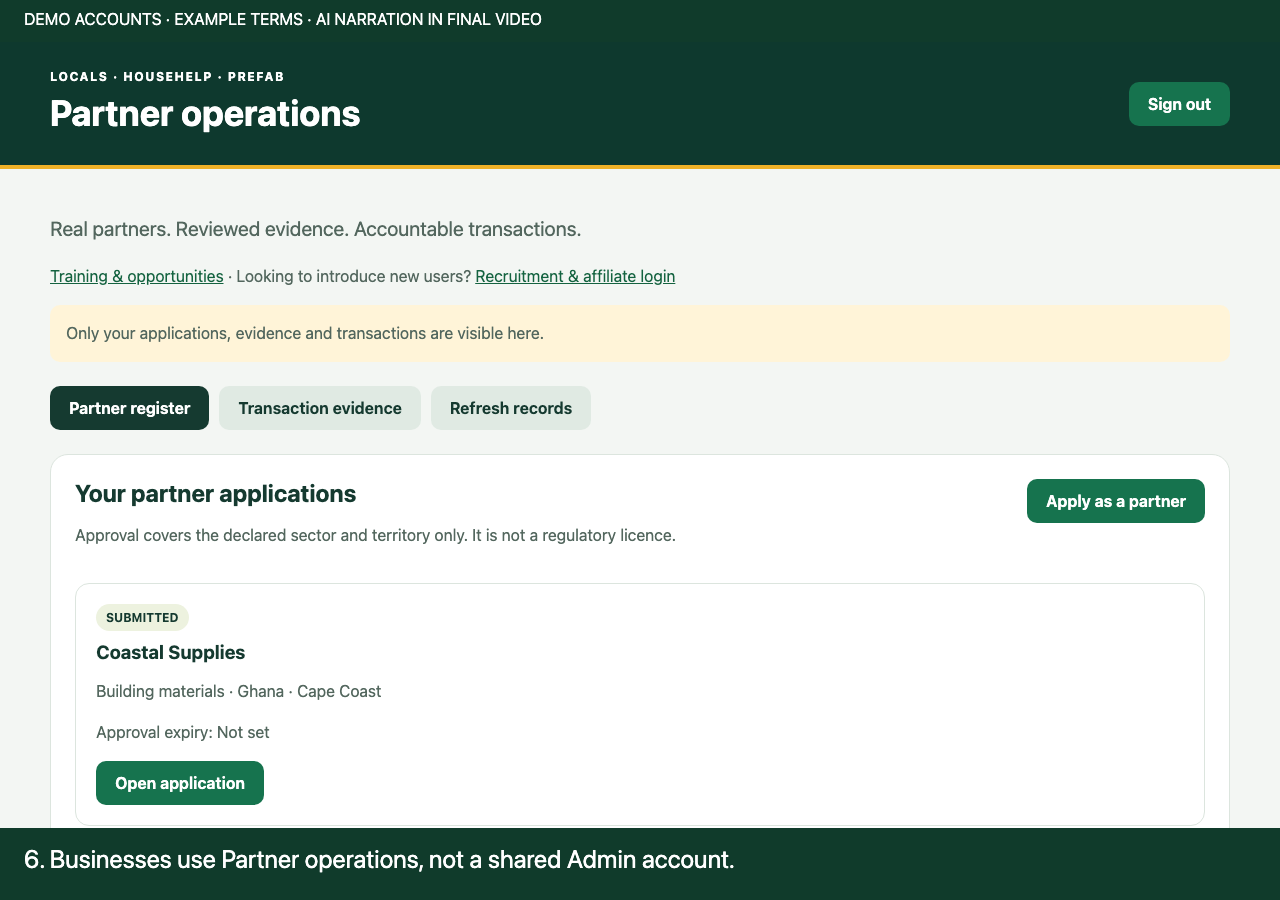
6. Businesses apply through Partner operations
Use your own account to apply as a business partner and upload private supporting evidence. Your business sees its own applications and transactions, not the platform-wide financial dashboard. Do not upload passwords, patient records or unnecessary personal information.
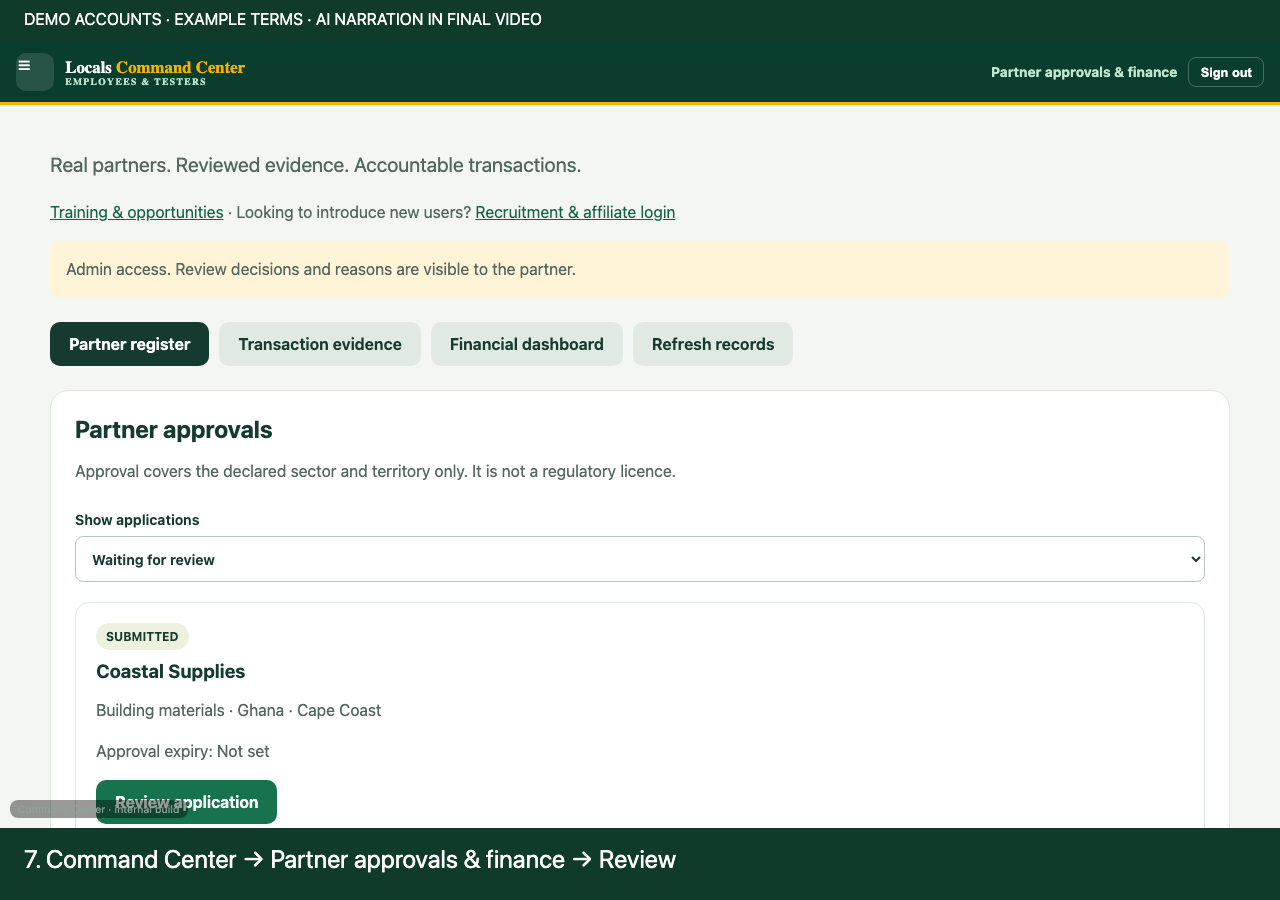
7. Admin reviews partners separately
Open Command Center → Partner approvals & finance → Review application. Check the evidence, choose a decision and record the reason. Approval needs an expiry date and covers only the declared scope, not regulatory permission. Request more information if evidence is missing. Completed transactions require separate payment review before counting as settled.
Users apply on their own pages. Admin approves in Command Center. Payment reviews stay separate from application approvals.